For the team that stands the post

Command the chaos.

Every post covered, every volunteer trained, every incident written down, on the phone in your pocket, Sunday morning.
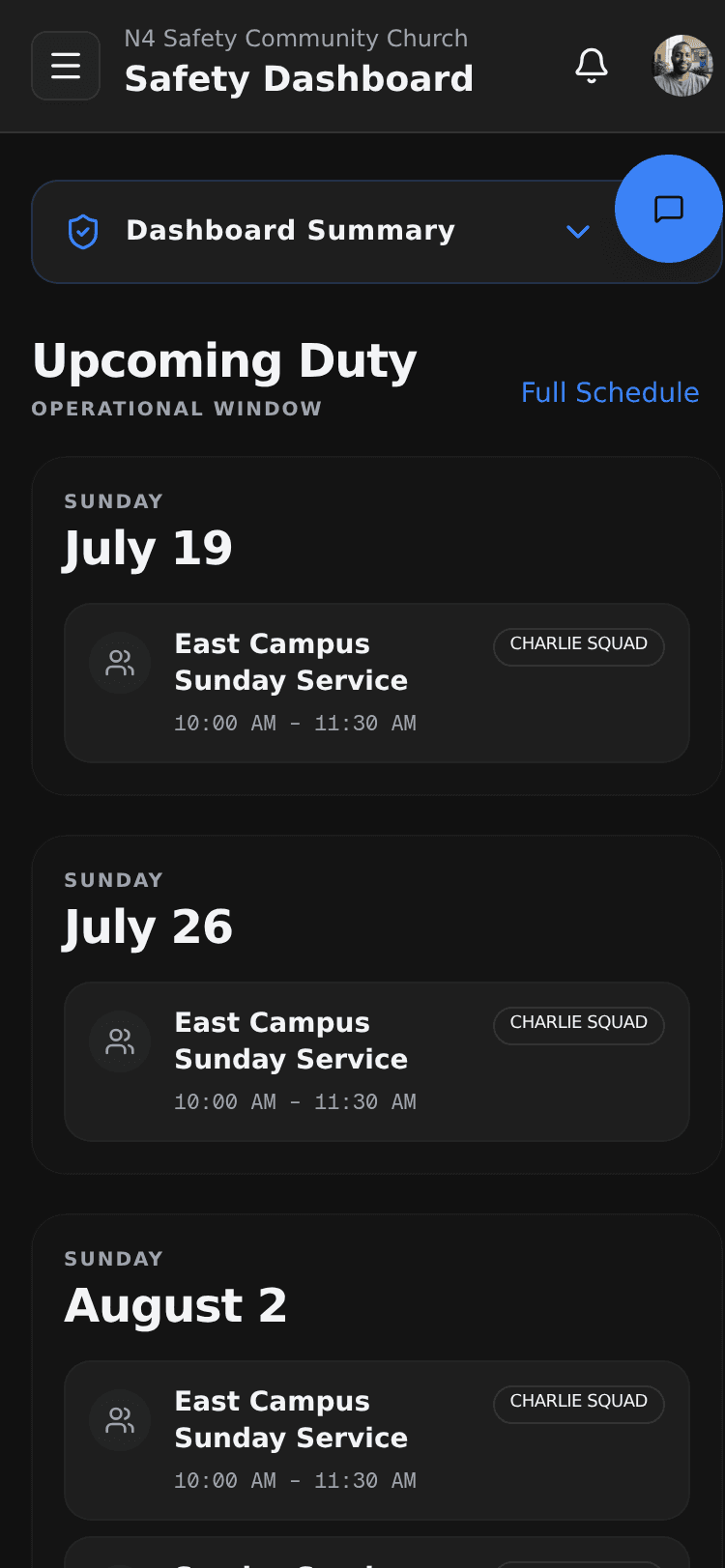
N4 Safety member dashboard on a phone, showing a collapsed Dashboard Summary panel above an Upcoming Duty list of dated Sunday cards, each an East Campus Sunday Service from 10:00 AM to 11:30 AM tagged Charlie Squad.

01

Run the Post.

On Duty Mode

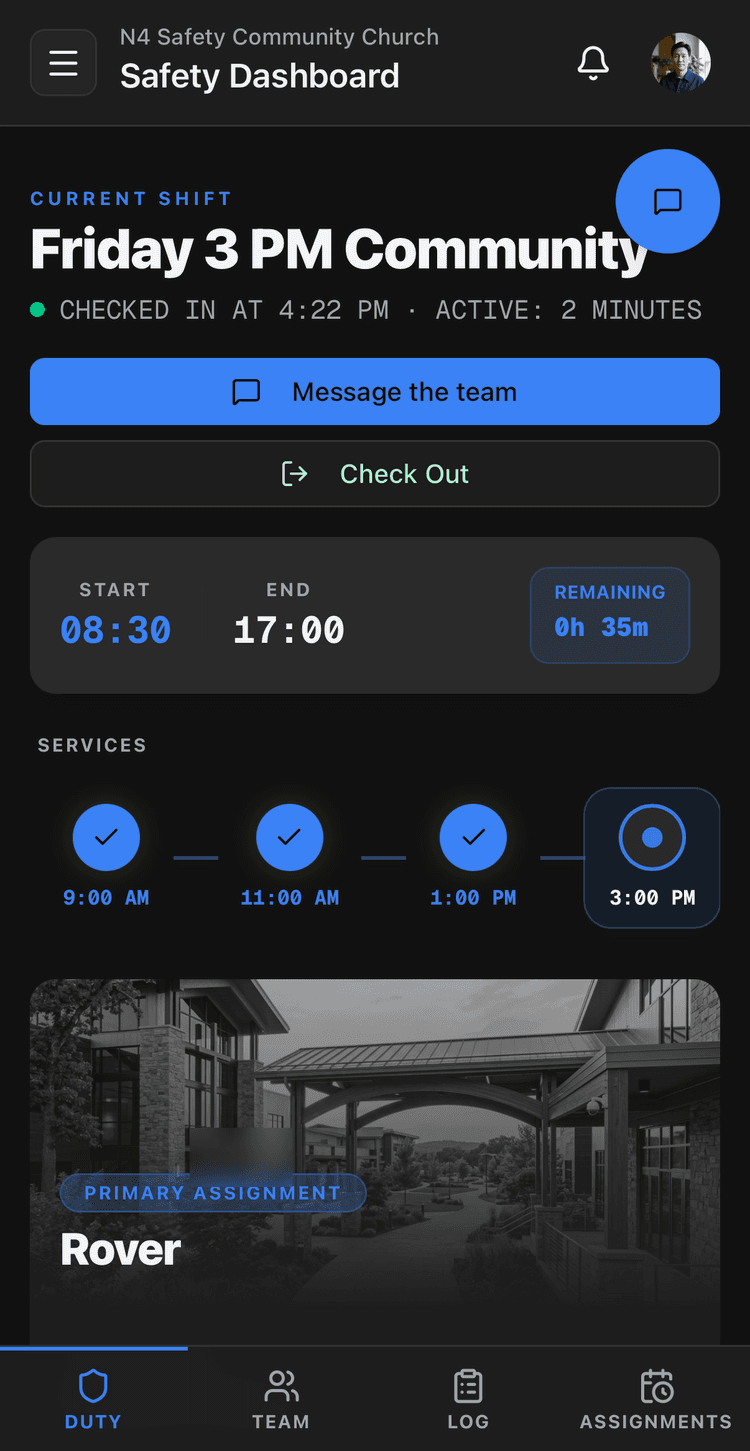
Check in, and the phone becomes the post. A focused on-duty view shows your current assignment, the team around you, and patrol logs you can add without stepping away.

  1. 01
    N4 Safety On Duty Mode dashboard on a phone, showing a checked-in Friday 3 PM Community shift with Message-the-team and Check-Out buttons, a shift clock from 08:30 to 17:00 with time remaining, a services timeline of three completed services and the 3 PM one active, and a Rover primary assignment card, above a Duty, Team, Log and Assignments tab bar.
    Check in
  2. 02
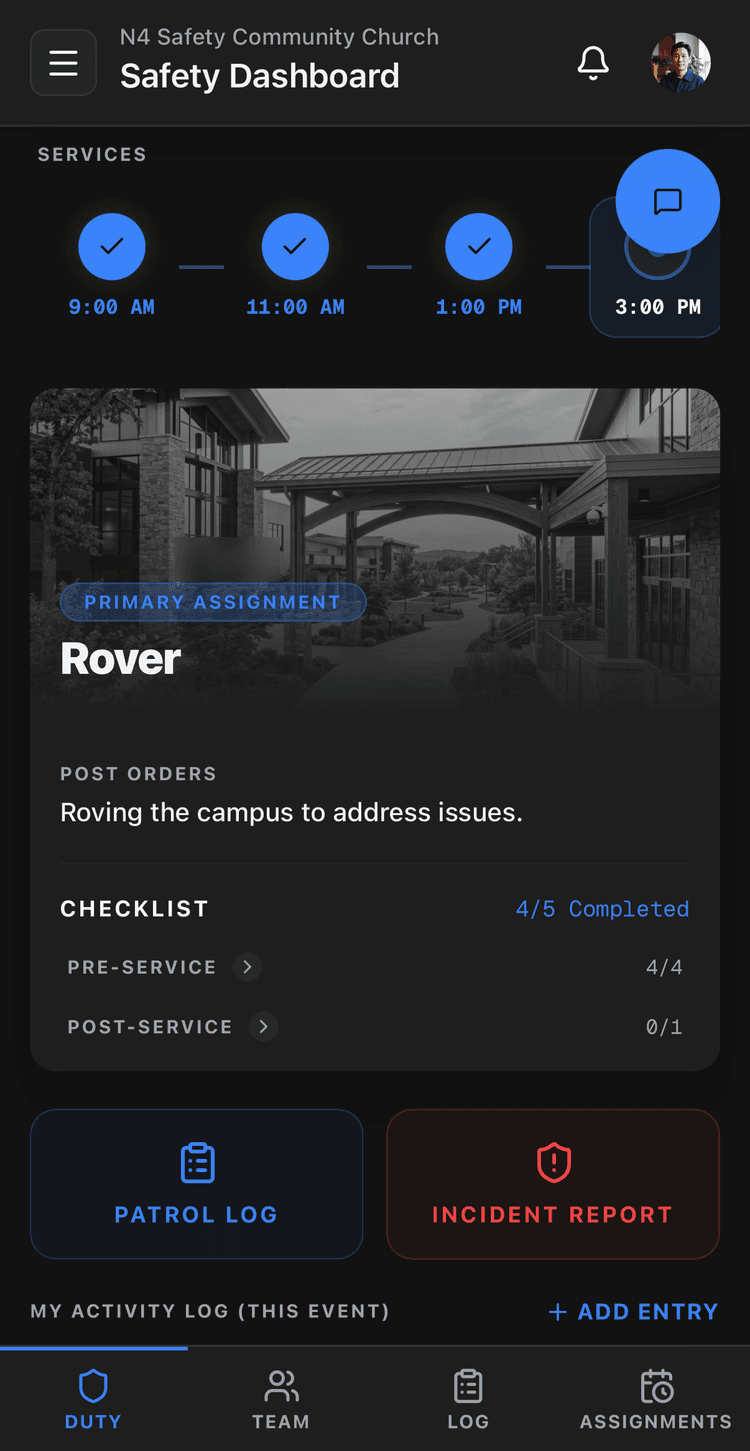
    N4 Safety On Duty Mode on a phone, showing the Rover primary assignment with its post orders and checklist progress above Patrol Log and Incident Report buttons and a Duty, Team, Log and Assignments tab bar.
    Your post & orders
  3. 03
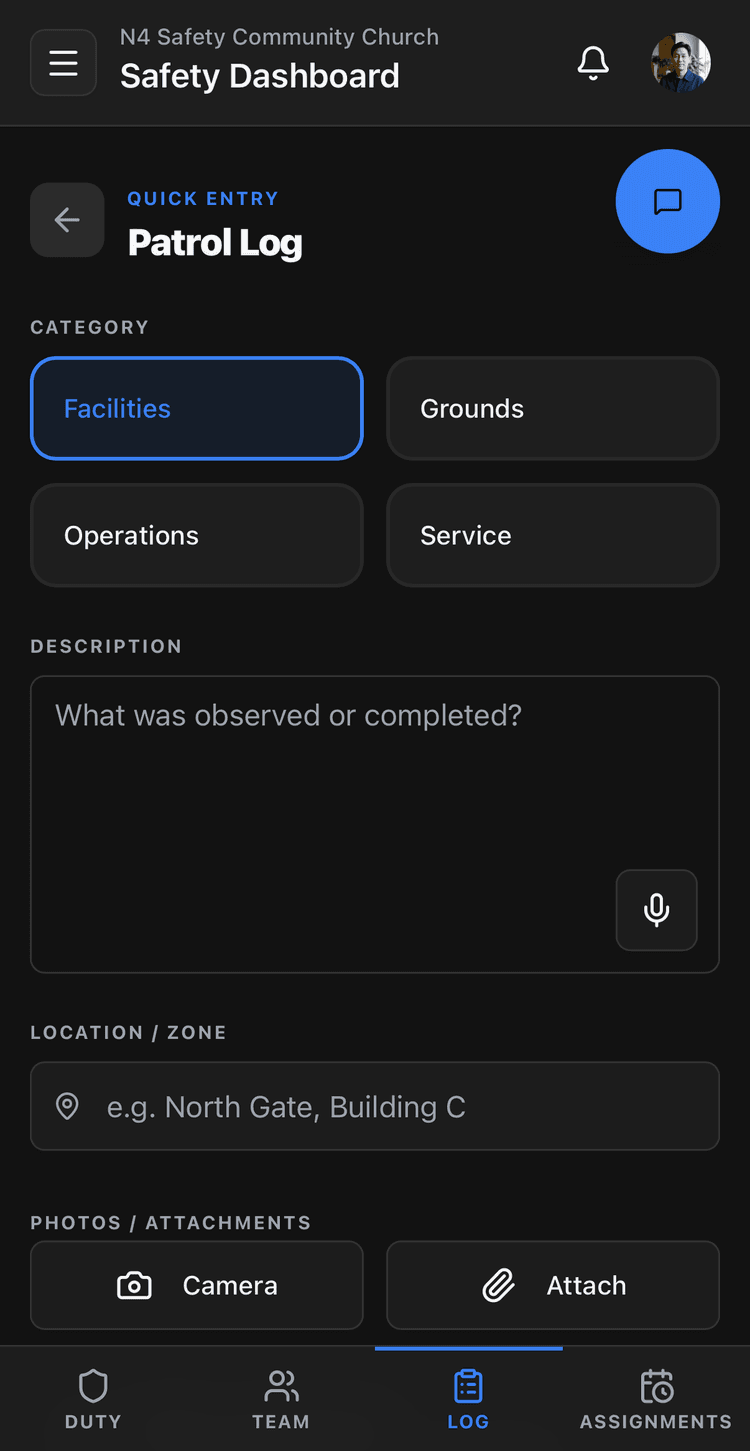
    N4 Safety Patrol Log quick-entry on a phone, showing a category choice of Facilities, Grounds, Operations or Service, a description field with a voice-to-text button, a location or zone field, and Camera and Attach buttons, above a Duty, Team, Log and Assignments tab bar.
    Log a patrol
  4. 04
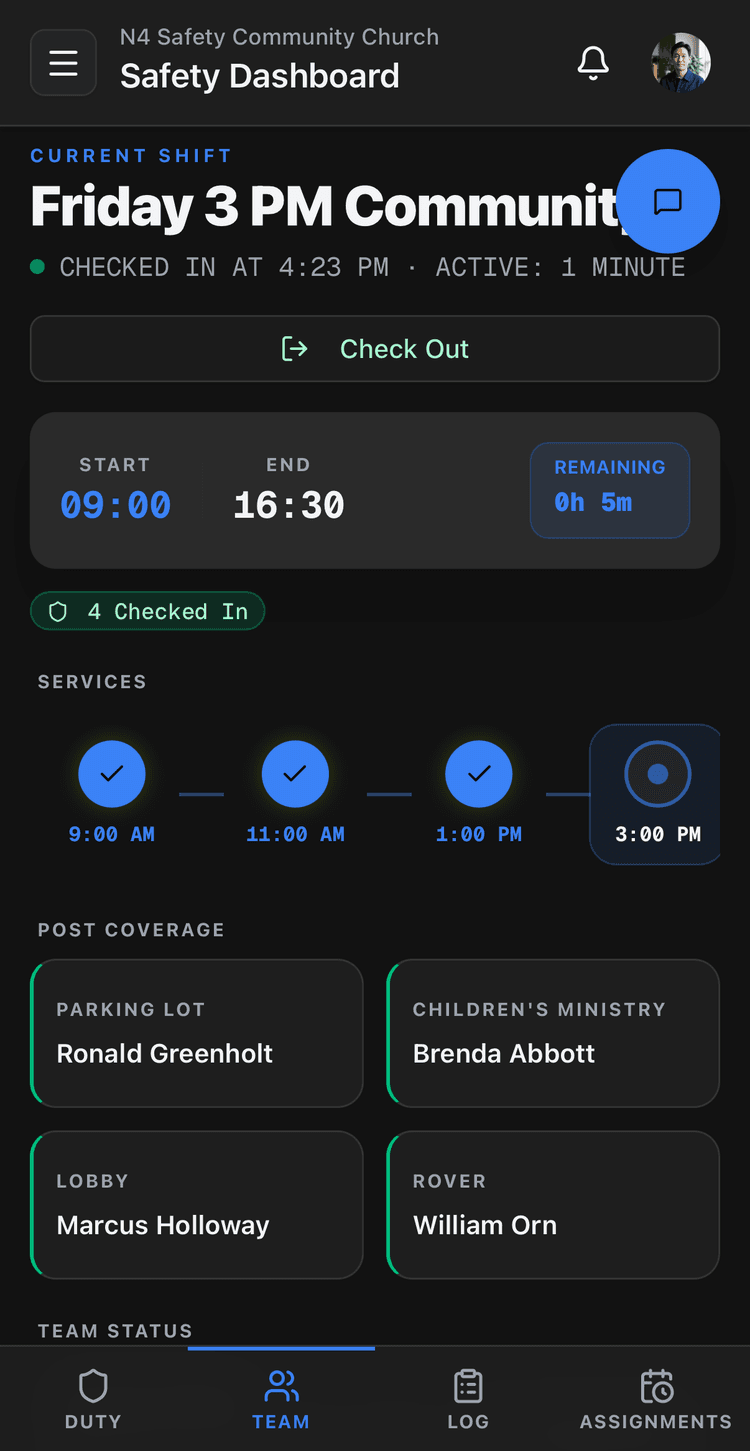
    N4 Safety On Duty Mode team view on a phone, showing the checked-in Friday 3 PM shift with a Post Coverage grid assigning team members to Parking Lot, Children's Ministry, Lobby and Rover posts, above a Duty, Team, Log and Assignments tab bar.
    The team
  5. 05
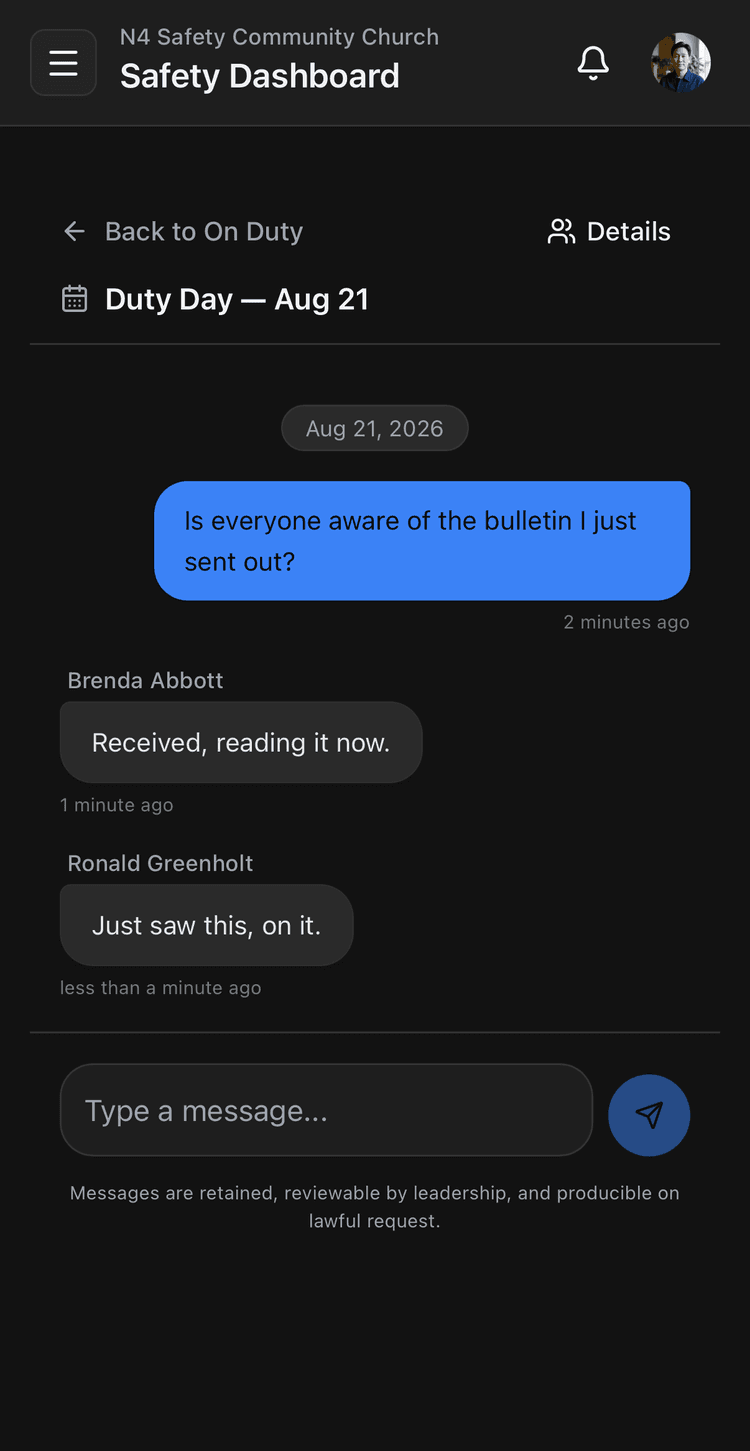
    N4 Safety on-duty team messaging on a phone, showing a duty-day thread where a message asks whether the team saw the bulletin and two members reply, above a message composer and a note that messages are retained, reviewable by leadership, and producible on lawful request.
    Message the team
  6. 06
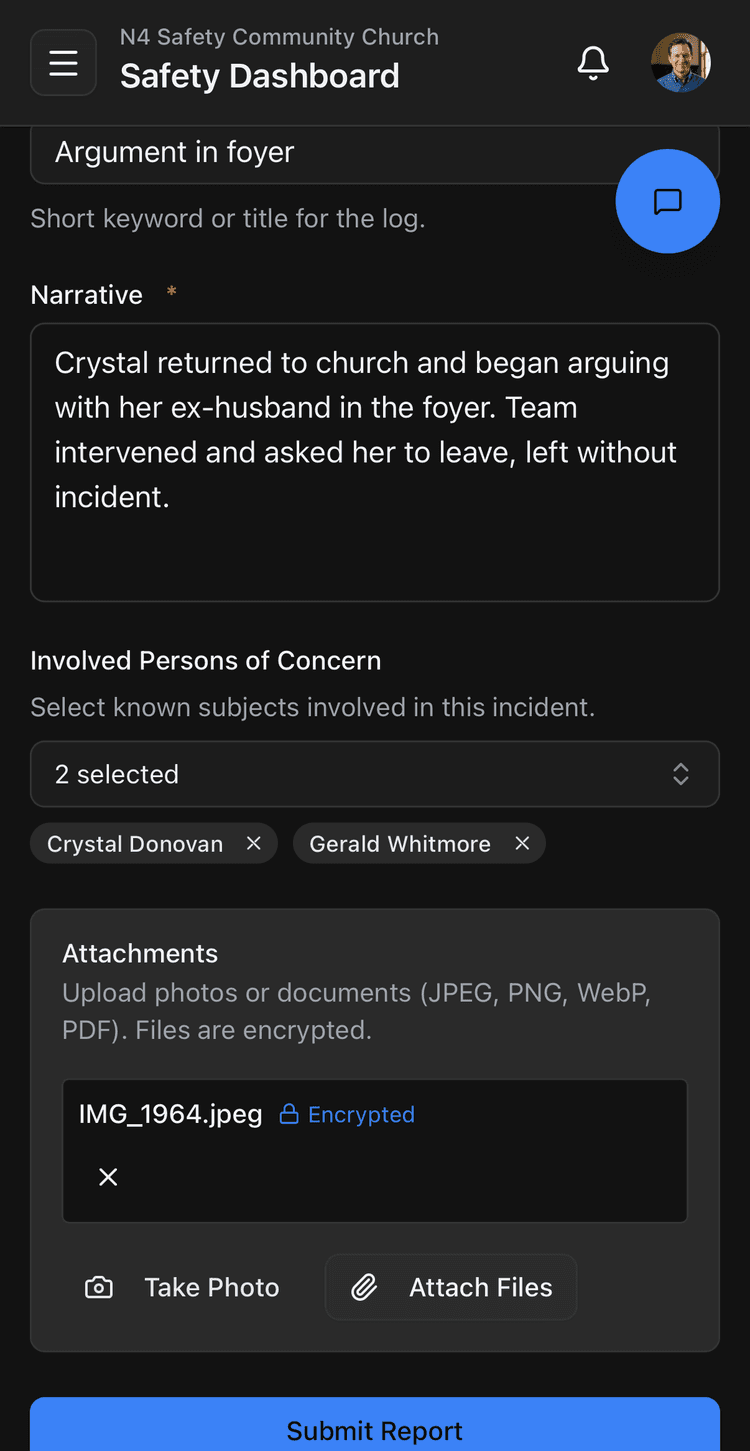
    N4 Safety incident report on a phone, showing the built-in report form with a title field, a narrative field, a persons-of-concern selector, an encrypted photo attachment, and Take Photo, Attach Files and Submit Report buttons.
    File an incident

Command Center & scheduling

Every post, every service, every volunteer in one view. See who is scheduled, who has checked in, and whether Sunday is fully covered before the doors open.
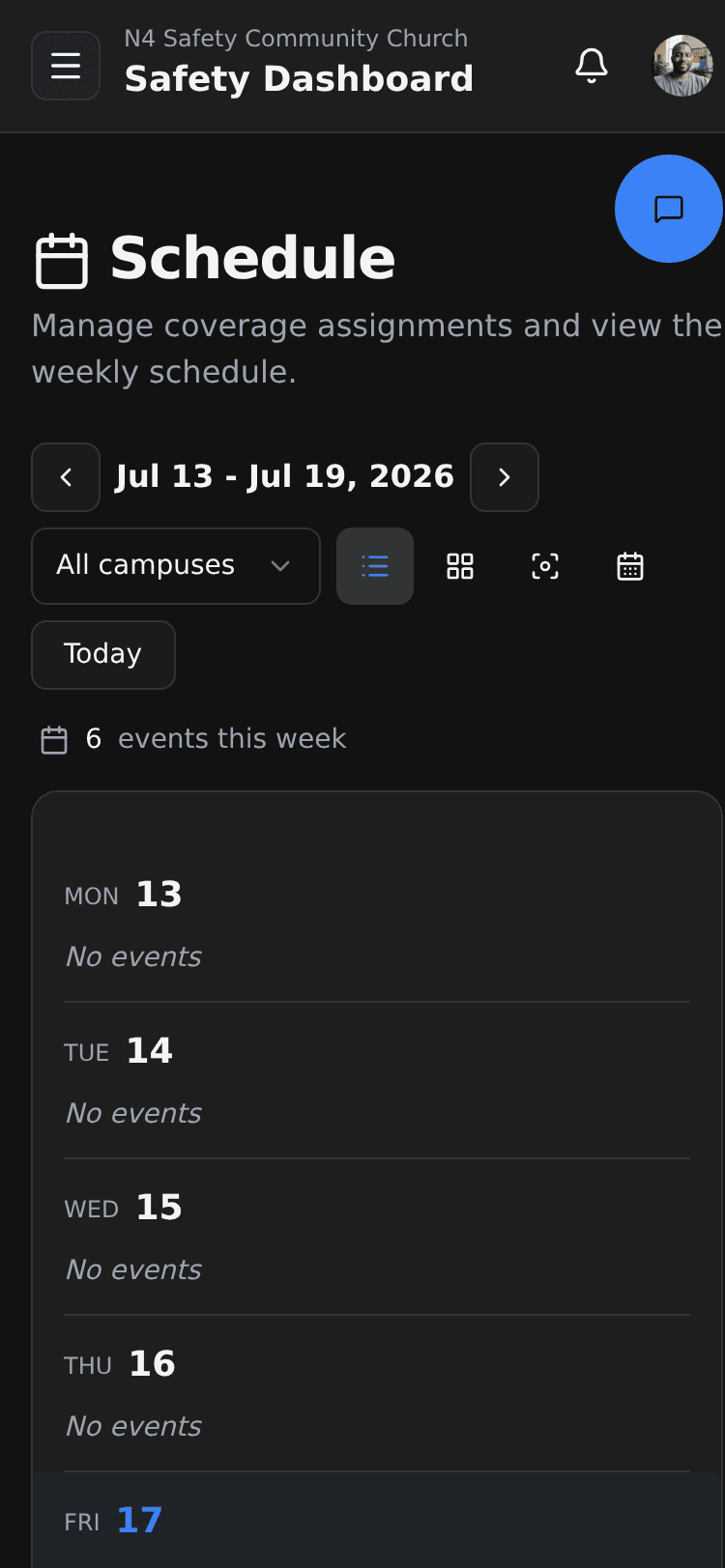
N4 Safety schedule on a phone, showing weekly Sunday service coverage across campuses.

Incidents & intelligence

Log incidents, persons of concern, trespass warnings, bulletins, and patrol activity from your phone. Filed the moment it happens, retrievable the day someone asks.
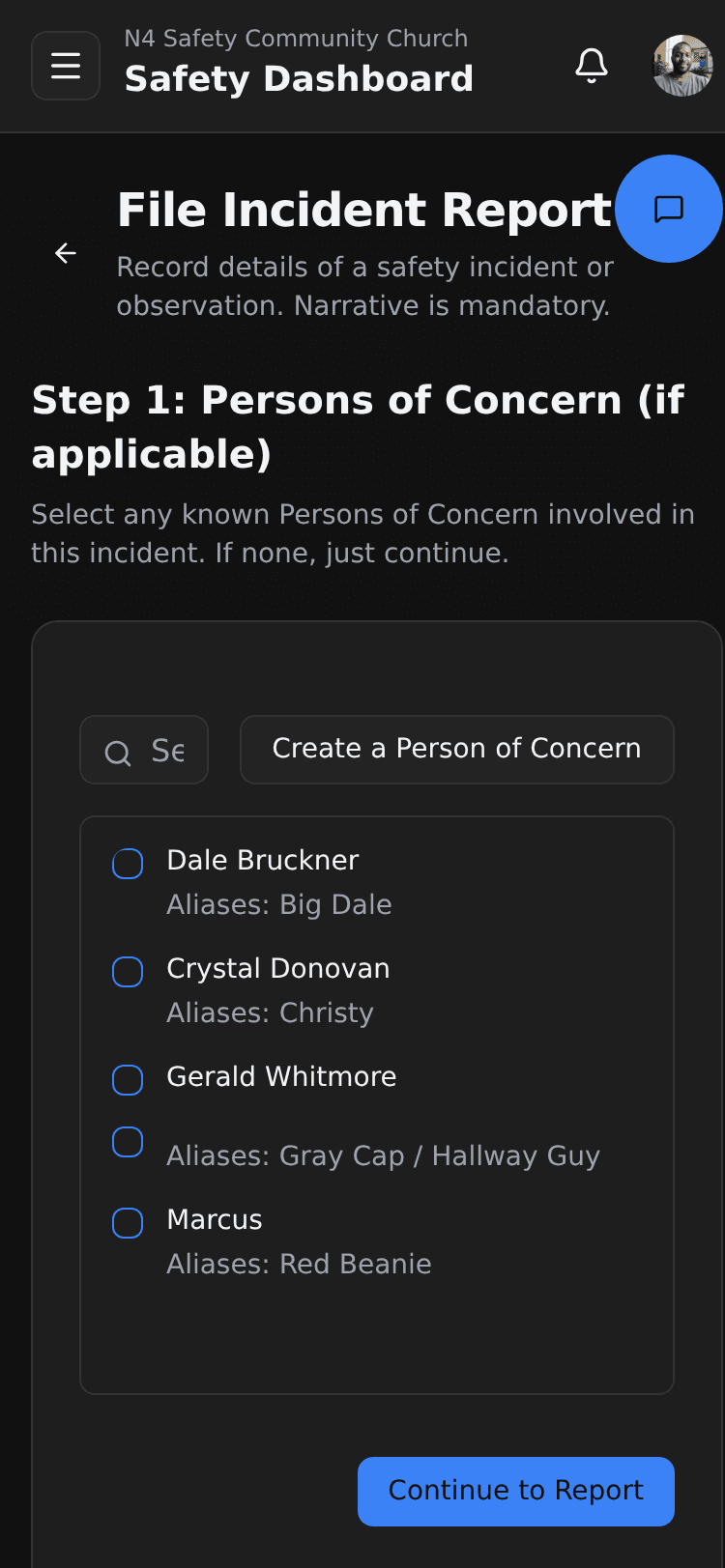
N4 Safety incident report on a phone, linking persons of concern.

In-app messaging

Coordinate the team in the moment instead of a personal group text. The conversation stays with the ministry and becomes part of the record: retained, reviewable by leadership, and producible on lawful request.
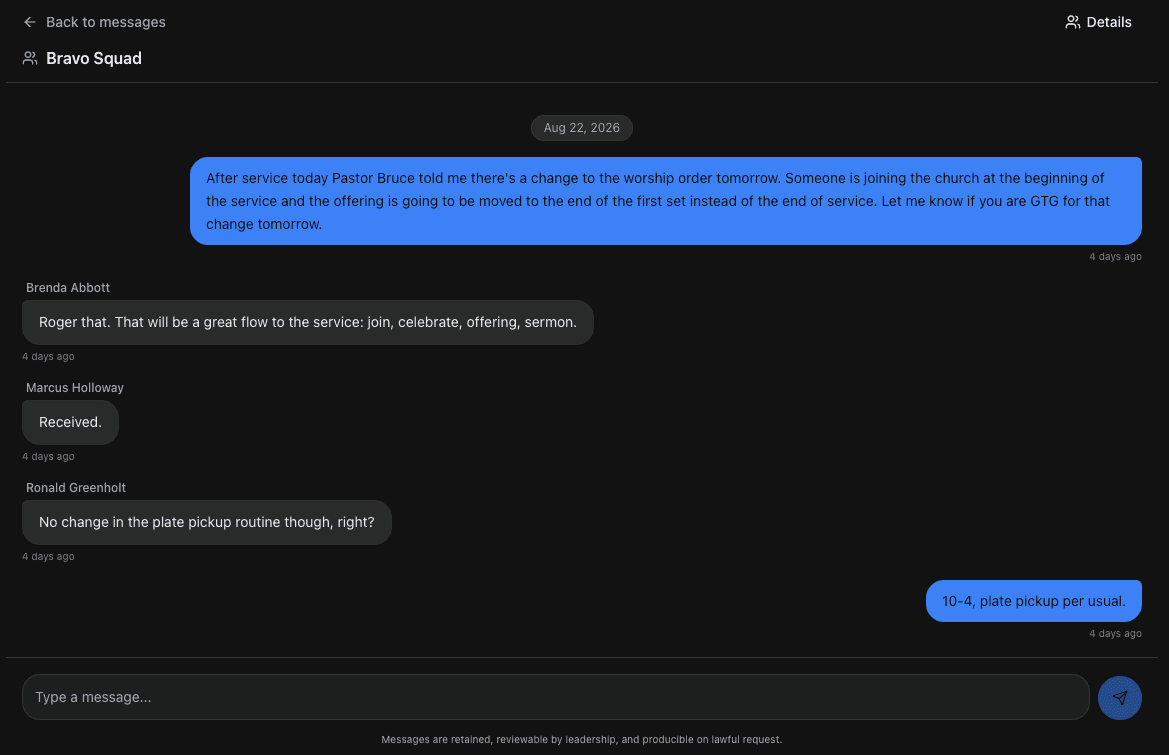
N4 Safety in-app messaging on a desktop, showing a group thread of five time-stamped messages coordinating a change to an upcoming service, above a message composer and a footer noting that messages are retained, reviewable by leadership, and producible on lawful request.

02

Ready the Team.

Training Academy

Deliver training and log it in the same place. Every session lands in an append-only ledger with printable records that outlast team turnover.
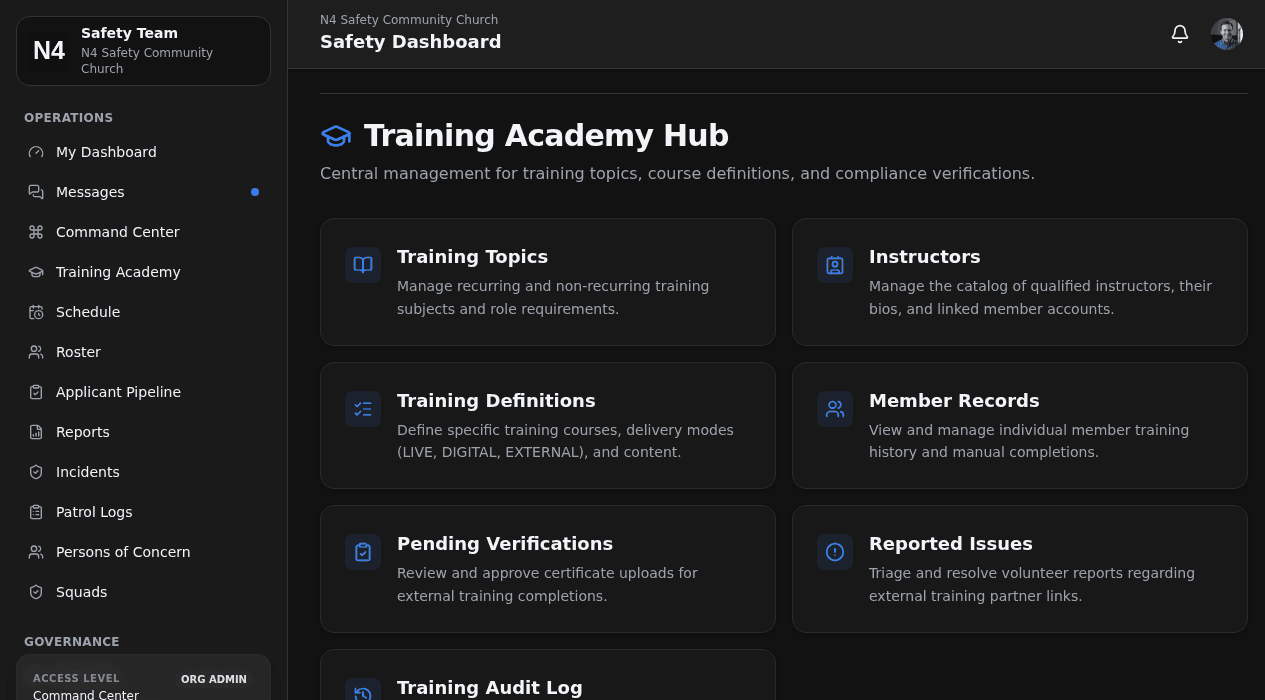
N4 Safety Training Academy management hub on a desktop, showing topics, instructors and verifications.

Onboarding pipeline

From application to cleared and on the schedule. Move a new volunteer through vetting, training, and approval without losing anyone in a spreadsheet.
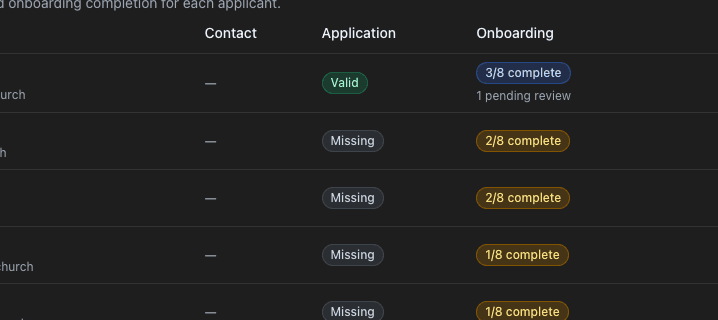
N4 Safety Applicant Pipeline on a desktop, showing an applicants table with each applicant's application status, marked Valid or Missing, and their onboarding completion out of eight steps.

03

Prove It.

Compliance & policies

Assign the policies each role has to read, and capture the acknowledgment. Every signature is recorded with a view-and-signature timestamp you can produce later.
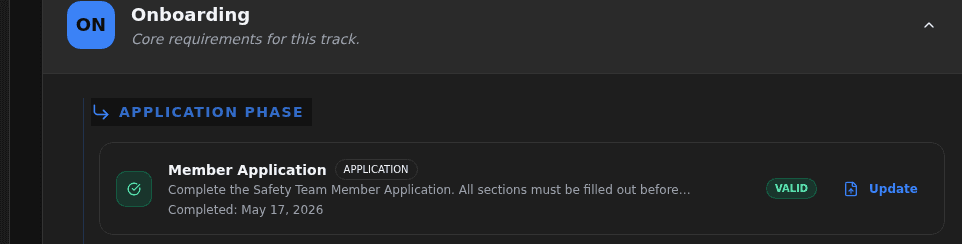
N4 Safety compliance track on a desktop, showing a Member Application requirement marked Valid with a Completed May 17, 2026 timestamp under the Onboarding track's Application Phase.

The Compliance Center

Stop reading the roster and start working the exceptions. Members group into missing, expired, expiring soon, and needs refresh, so a leader clears one kind of problem at a time.
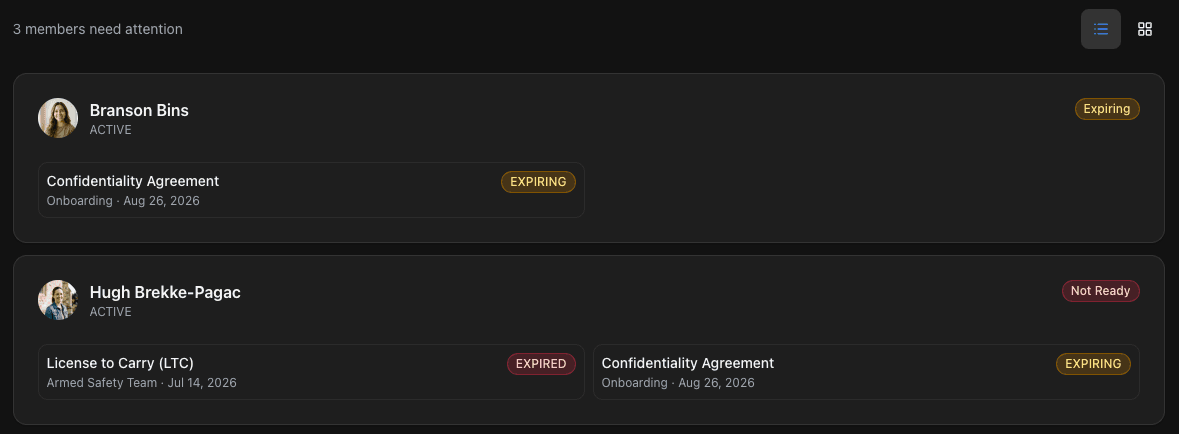
N4 Safety Compliance Center member list on a desktop, showing two of the three flagged members: the first marked Active with a Confidentiality Agreement expiring, the second marked Active and Not Ready with a License to Carry expired and a Confidentiality Agreement expiring — each row naming the member's specific credential and its status.

The Audit Center

Turn “we keep records” into “here is the file.” Generate organization-branded PDF reports on demand, and search an immutable history that nothing in the Center can alter.
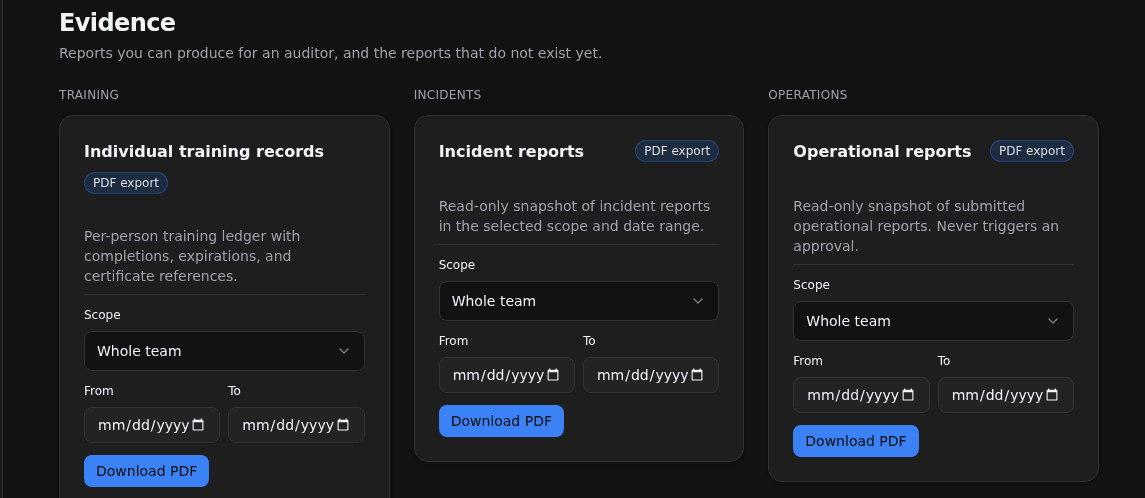
N4 Safety Audit Center Evidence tab on a desktop, showing three PDF-export report cards — Individual training records, Incident reports and Operational reports — each with a scope selector and a Download-PDF button.

Configured to Your Church, Not the Other Way Around.

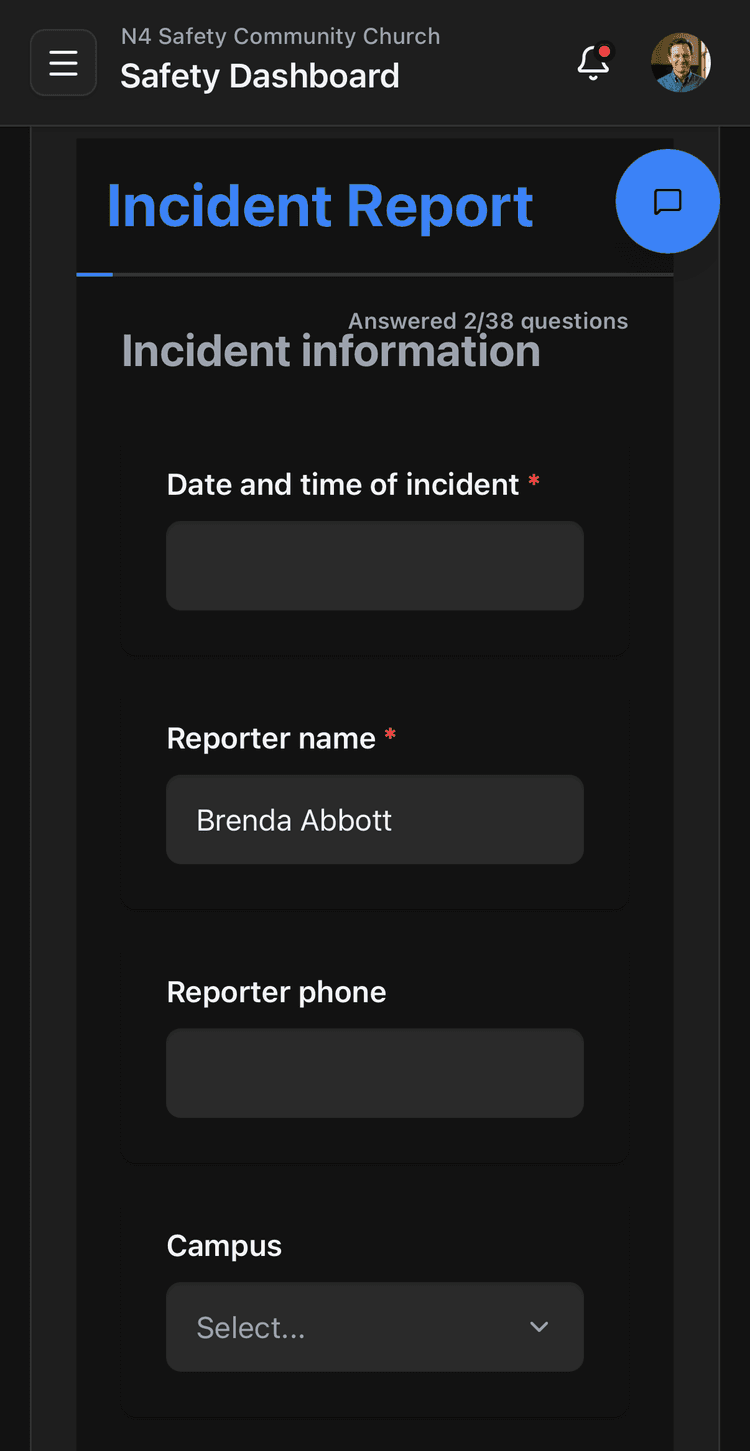
We take the forms and standards your church already runs on — your incident report, your patrol categories, your posts and zones, your compliance requirements — and our team builds them into the platform for you, right down to a printed report modeled on the paperwork you already use. You are not bending your ministry to fit generic software. The system is set up to how you actually work.
N4 Safety incident report on a phone, showing the built-in report form with a title field, a narrative field, a persons-of-concern selector, an encrypted photo attachment, and Take Photo, Attach Files and Submit Report buttons.
Built-in
N4 Safety incident report on a phone, showing a configured multi-question form with a progress note showing 2 of 38 questions answered, above Incident-information fields for the date and time of the incident, the reporter's name and phone, and the campus.
Configured to your paperwork

Protect the Church You Answer For.

A faithful church guards its people from more than the threat at the door. The quieter danger is the claim you cannot answer: the day someone asks you to prove what you did, and the record was never kept. N4 is where that proof lives. Vetting on file, policies read and acknowledged, every incident and patrol logged and producible the day someone lawfully asks.

The Founding 50 is our first cohort of churches, fifty of them, getting in early with founding terms and a direct line to the team building N4 around how real safety ministries operate.

Secure Your Church

See how we compare